
Sign up to view this video
Join Now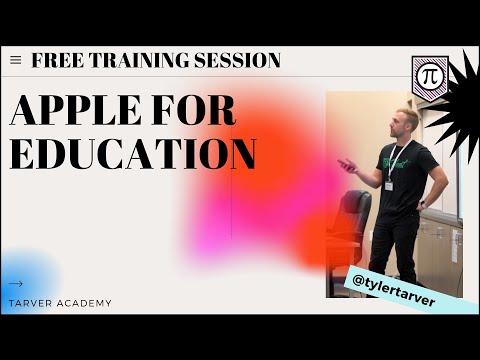
Apple for Education
🎥 Apple Tools PD Companion
Make a copy of these notes for yourself!
🎯 Key Takeaways & Learning Goals
By the end of this lesson, teachers will:
Understand how to use Pages, Keynote, Numbers, Clips, and iMovie
Shift from consuming content → creating content
Use tech to boost student engagement + ownership
Start SMALL (don’t download 47 apps… please don’t 😅)
💡 Big Idea:
“It’s not about knowing all the tools… it’s about using a few tools REALLY well.”
🧩 Classroom Activity Flow (Step-by-Step)
🔹 Step 1: Warm-Up (5–10 min)
Have students answer:
“What’s something you love creating?” (video, art, stories, memes 👀)
Quick share or partner talk
🔹 Step 2: Intro to Creation Tools (Teacher-Led Demo)
Pick ONE tool to start (don’t overwhelm yourself 💀)
Pages → Interactive journals / books
Keynote → Presentations / animations
Numbers → Interactive activities (NOT just spreadsheets!)
Clips → Quick videos
iMovie → Full projects
👉 Show 1–2 features max. Keep it tight.
🔹 Step 3: Student Creation Time (Core Activity)
Option A: Pages (Beginner Friendly)
Create an “About Me” digital book
Must include:
1 image
1 audio clip
1 written section
Option B: Keynote (Creative Mode 🎨)
Create a 2–3 slide animation or presentation
Include:
Shapes or drawings
Transitions or animation
One “interactive” element
Option C: Numbers (Sneaky Powerful 💪)
Build:
A timeline OR
A drag-and-drop word sort
Bonus: Add images or video
Option D: Clips (Fast + Fun 🚀)
Create a 30–60 second video
Include:
Stickers or filters
Text overlay
Voice narration
Option E: iMovie (Level Up 🎬)
Create a short video with:
Cut clips
Background music
Voiceover
🔹 Step 4: Share & Reflect (10–15 min)
Students share with:
Class
Small groups
Or gallery walk
💬 Discussion / Reflection Questions
What tool felt easiest to use? Why?
How did creating something change your learning?
What would you improve if you had more time?
Where could you use this in another class?
💡 Teacher Reflection:
Did students engage MORE than normal?
What felt messy but worth it? 😅
👩🏫 Grade-Level Ideas
🟢 Elementary
Pages: Number tracing books with audio 🎧
Clips: “How-to” videos (like clay, art, reading)
Keynote: Simple storytelling slides
🔵 Middle School
Keynote: Animated history scenes
Numbers: Vocabulary sorts or timelines
Clips: “Day in the Life” or historical POV videos
🔴 High School
iMovie: Documentary-style projects
Pages: Research + multimedia reports
Keynote: App prototypes or portfolios
🧑💼 Admin / Coaches
Use Clips for quick PD videos
Use Keynote for interactive staff training
Use Numbers for data dashboards (but make it pretty 👀)
📋 Quick-Start Teacher Checklist
✅ Pick ONE tool (not all five 😅)
✅ Model it quickly (5–10 min max)
✅ Give students a creative task
✅ Require 2–3 features only
✅ Let them explore + struggle a little
✅ Share at the end
🧠 Pro Tips
Start with what students already know (don’t teach content + tech at the same time)
Let students create about themselves first
Use tech for ownership, not just substitution
If it takes 2 hours to learn… you won’t use it 😬
🏁 “Golden Nugget” Moment
👉 Tech isn’t the goal.
👉 Creation is the goal.
If students are:
Making
Recording
Designing
Explaining
…you’re winning. 🏆